CURATE
What research publications are suitable to deposit to CURATE?
Curtin research outputs mandated for deposit in CURATE:
- peer-reviewed journal articles
- peer-reviewed conference papers
- HDR theses
- research outputs subject to funder open access policies.
Curtin research outputs recommended for deposit in CURATE:
- books and book chapters
- non-traditional research outputs (such as creative works and reports) or their representation.
Availability of full text in CURATE is subject to copyright provisions and publishing agreements associated with research outputs.
Curtin outputs not suitable for deposit in CURATE:
- material intended for commercial purposes
- content containing confidential or proprietary information
- material where the Curtin author(s) do not have the right to make it available due to copyright and intellectual property restrictions
- content not to be publicly accessible for reasons of privacy or cultural sensitivity
- evidence of engagement and impact activities
- dissertations/ theses associated with honours and postgraduate coursework
- undergraduate research
- research data. Visit Curtin Research Data Collection for further information on depositing research data.
How do I deposit a research publication into CURATE?
Once researchers have determined their copyright obligations, the CURATE deposit process is completed via Elements, Curtin’s Publication Management System. This ensures research outputs detailed in Curtin Staff Profiles are linked directly to the CURATE record.
-
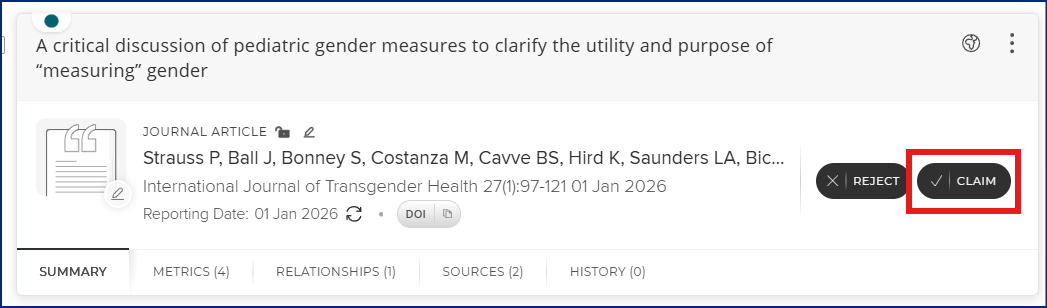
In Elements, you must claim, import or create a record for your research output.
-
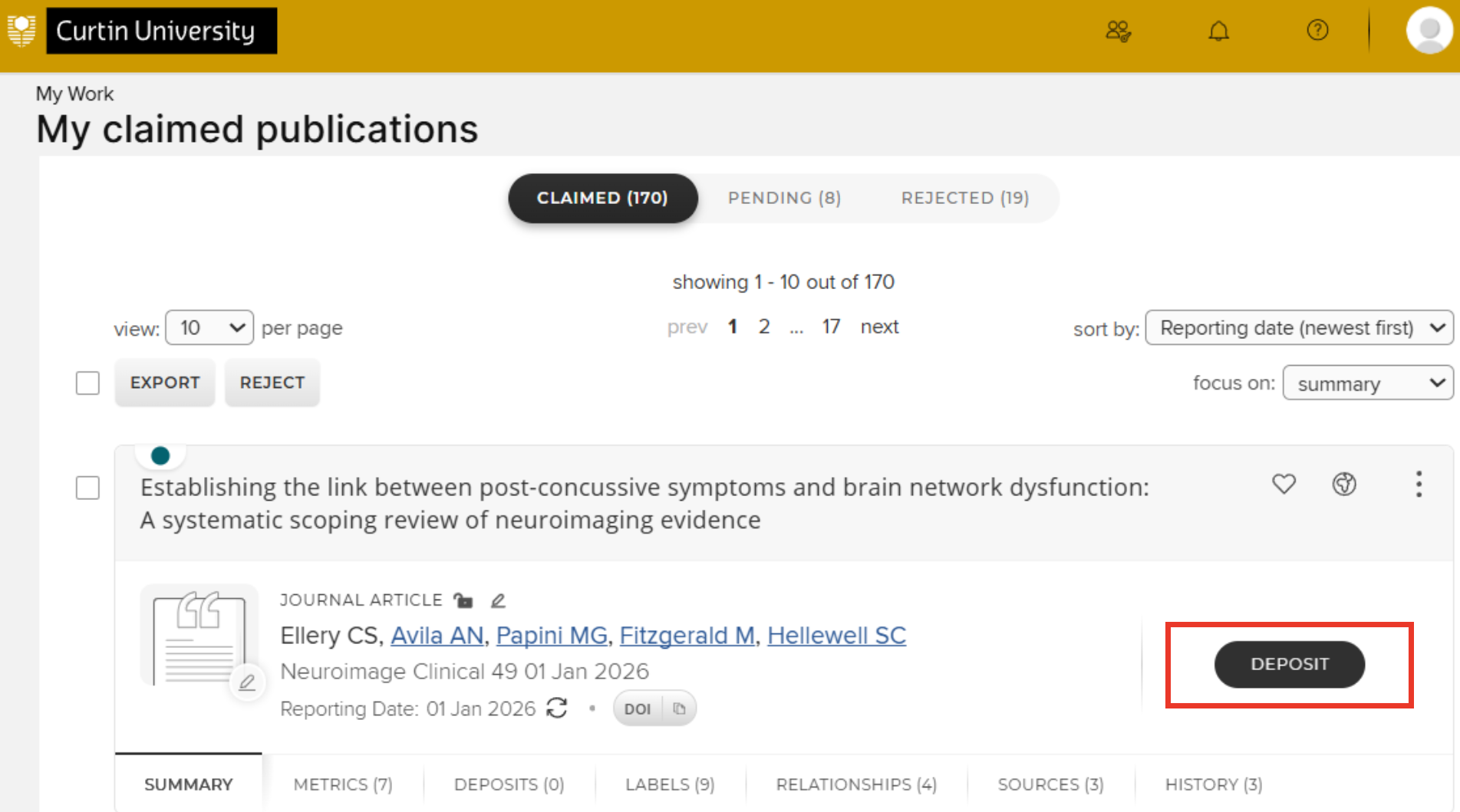
You can then go to your list of claimed publications and click on the black deposit button to the right of the record you wish to deposit.
-
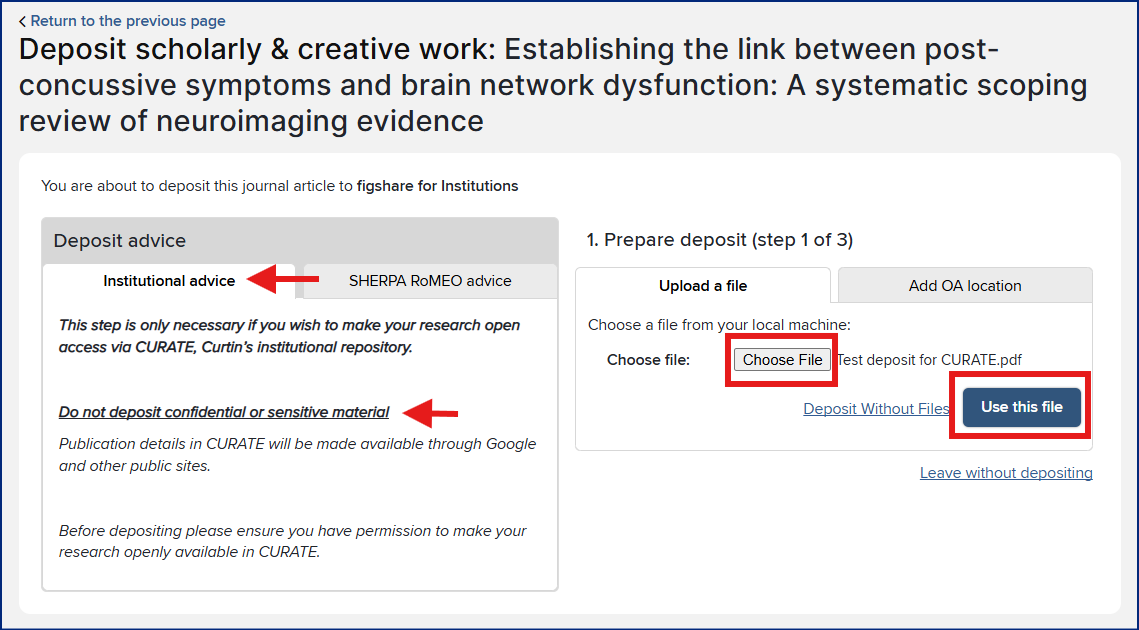
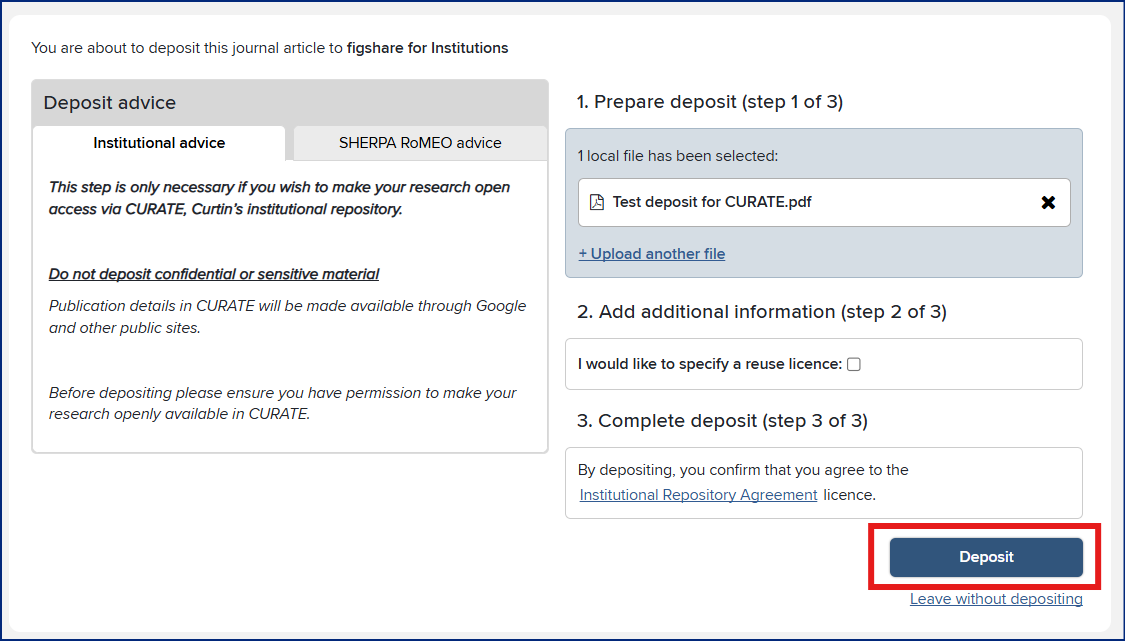
In the Deposit publications screen, read the Deposit advice and ensure you are not depositing confidential or sensitive materials to the repository.
-
Prepare your deposit. Upload the Author Accepted Manuscript (AAM) by selecting Choose file. Click on Use this file to attach the file to the record.
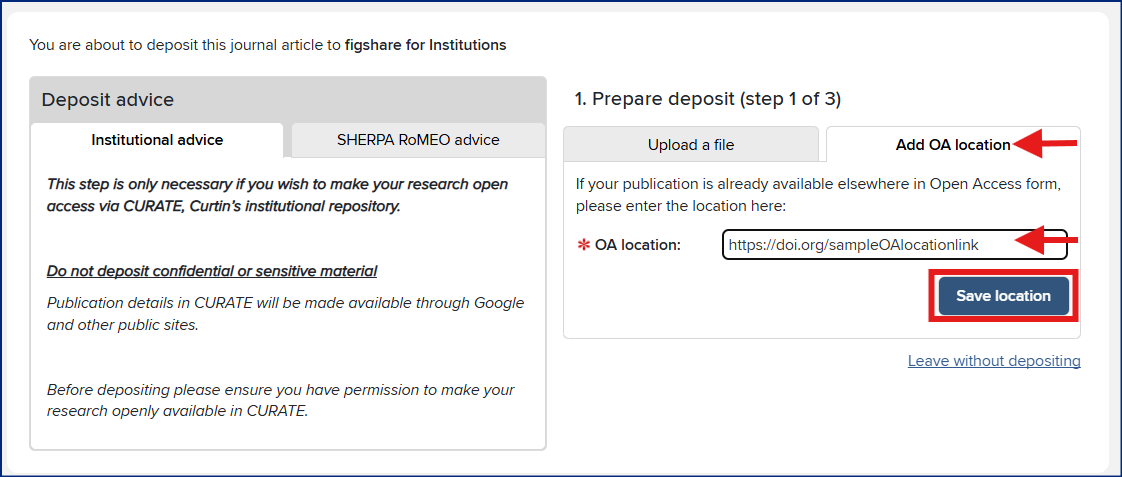
If your publication is published Open Access, you can deposit the link to the open access location by selecting the Add OA location tab. Paste the link and click Save location
-
You do not need to select a reuse license. Complete the deposit by clicking on Deposit.
Managing your publication records such as importing records or manually creating records in Elements, before depositing to CURATE is available in the Elements guide